Android · iPhone · iPad · Free
FuturePBX Phone.
For us, the best softphone in the world.
Your whole PBX on your phone: business calls, transfers, your entire team's live status and your company's contact books. Install it today and take the office with you.


Free app · Version 2.9.7
01
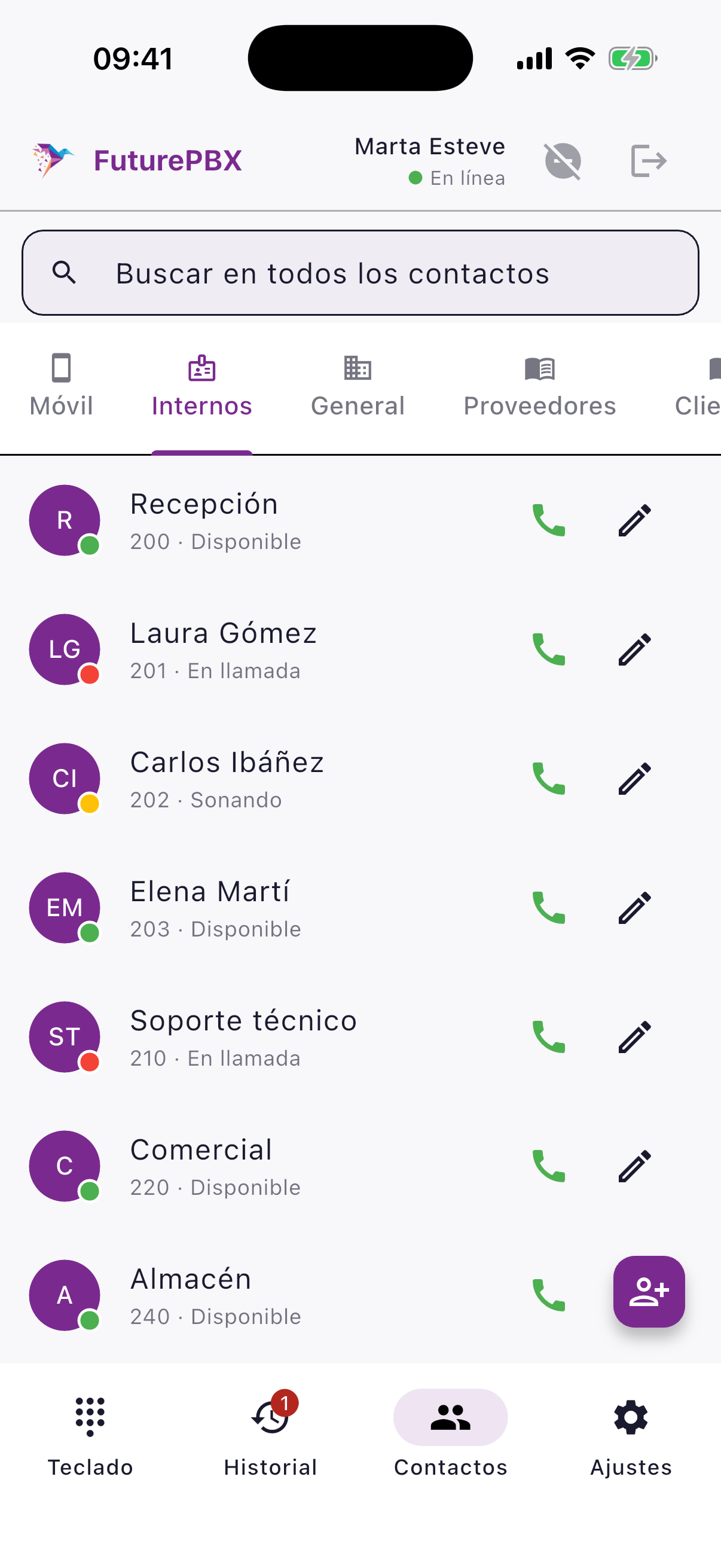
See your whole team, live
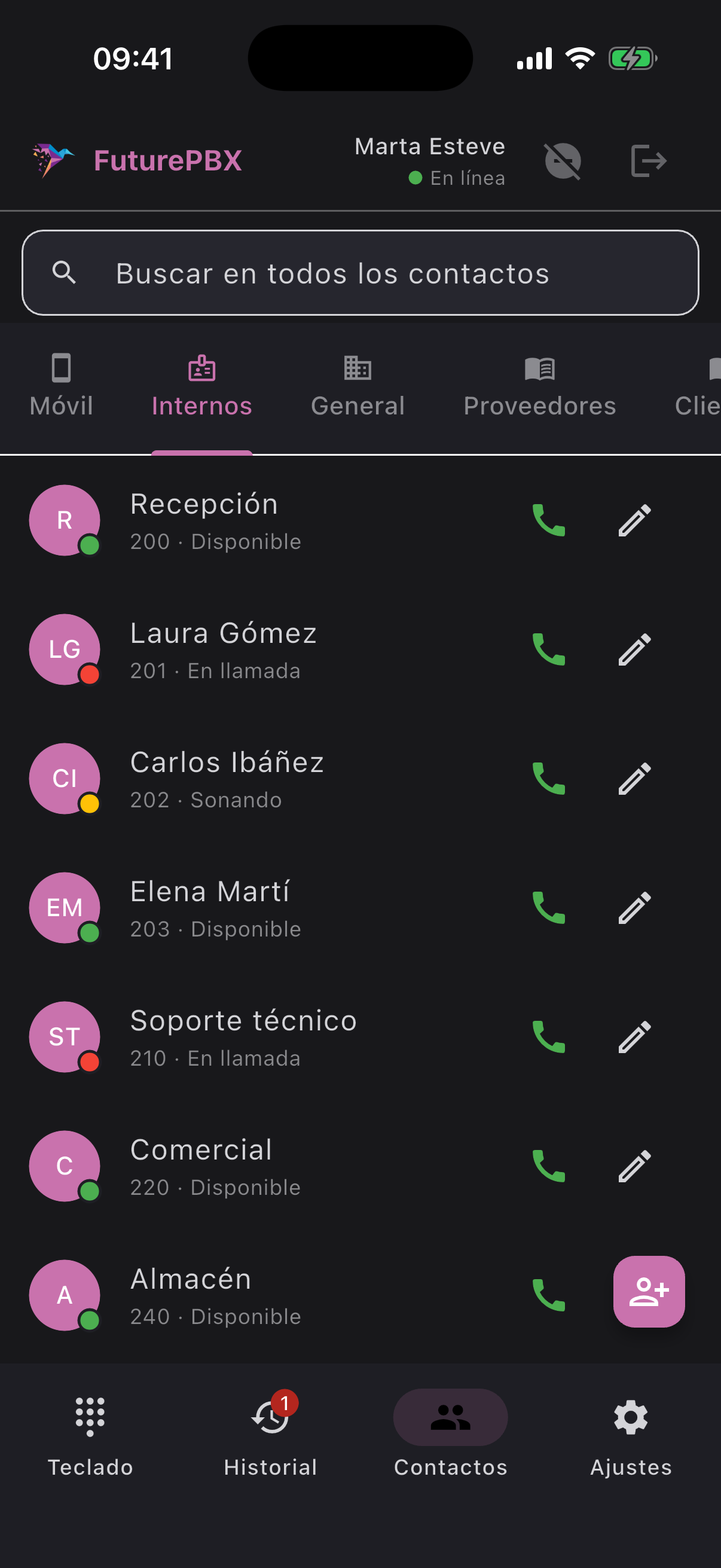
Know instantly who is available, whose phone is ringing and who is on a call: green, amber and red, no need to ask. Before you transfer a call you already know if your colleague can take it. One tap and you are calling them.
02
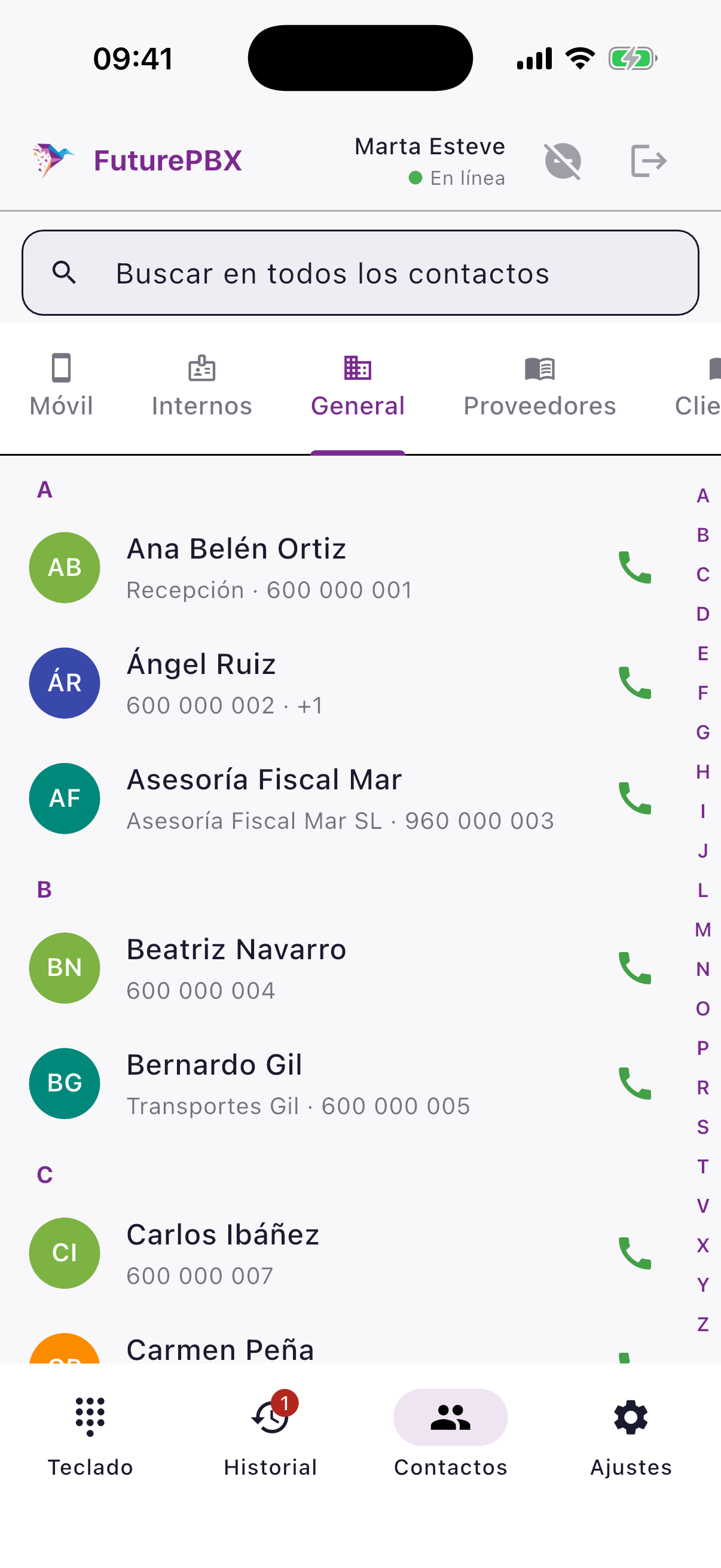
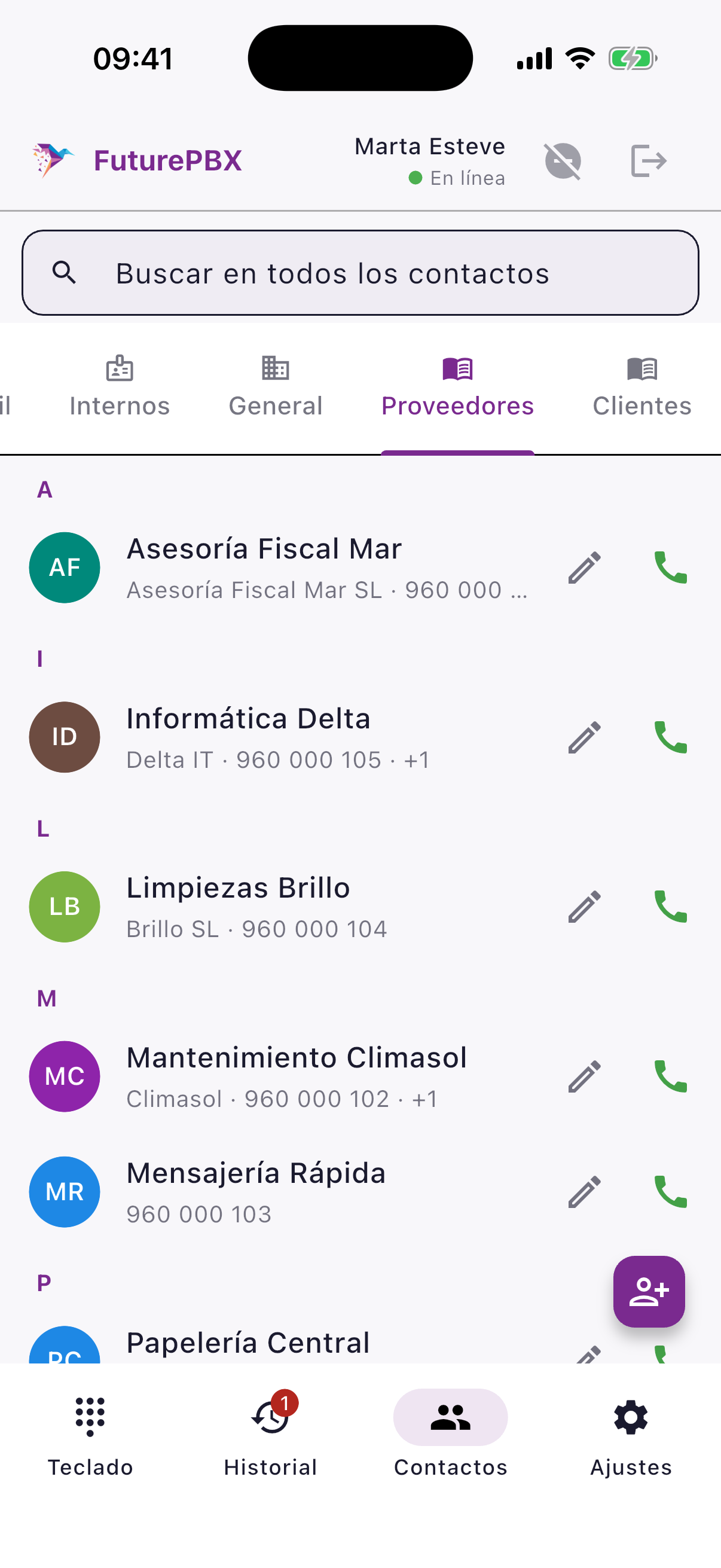
Your company's contact books on every phone
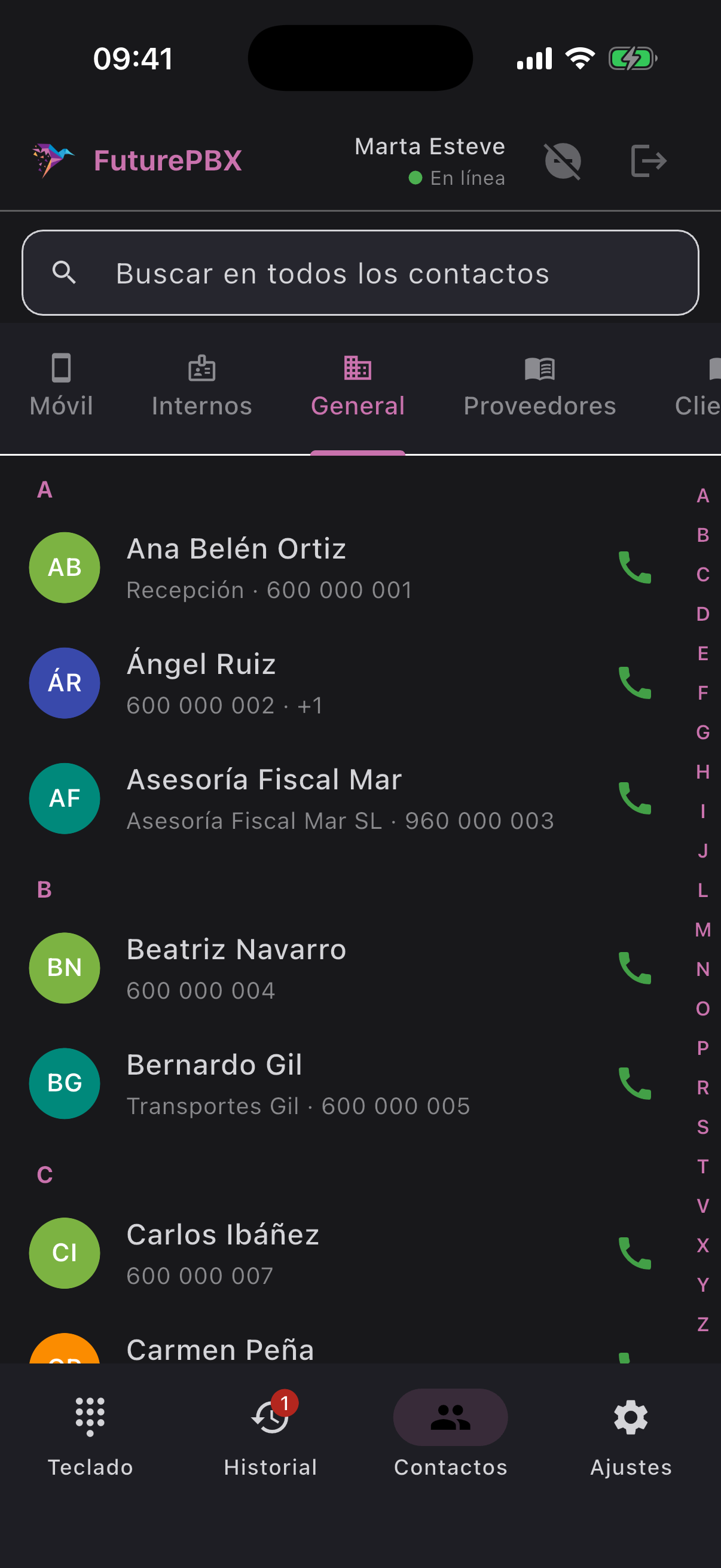
All your company contacts organised in contact books: a General one for the whole team and as many as you want per department, like Suppliers or Customers. From the PBX you decide which group sees each book and who can edit it.
Anyone allowed adds or fixes a contact from their phone and the whole team sees it right away. One contact can live in several books and is changed only once.
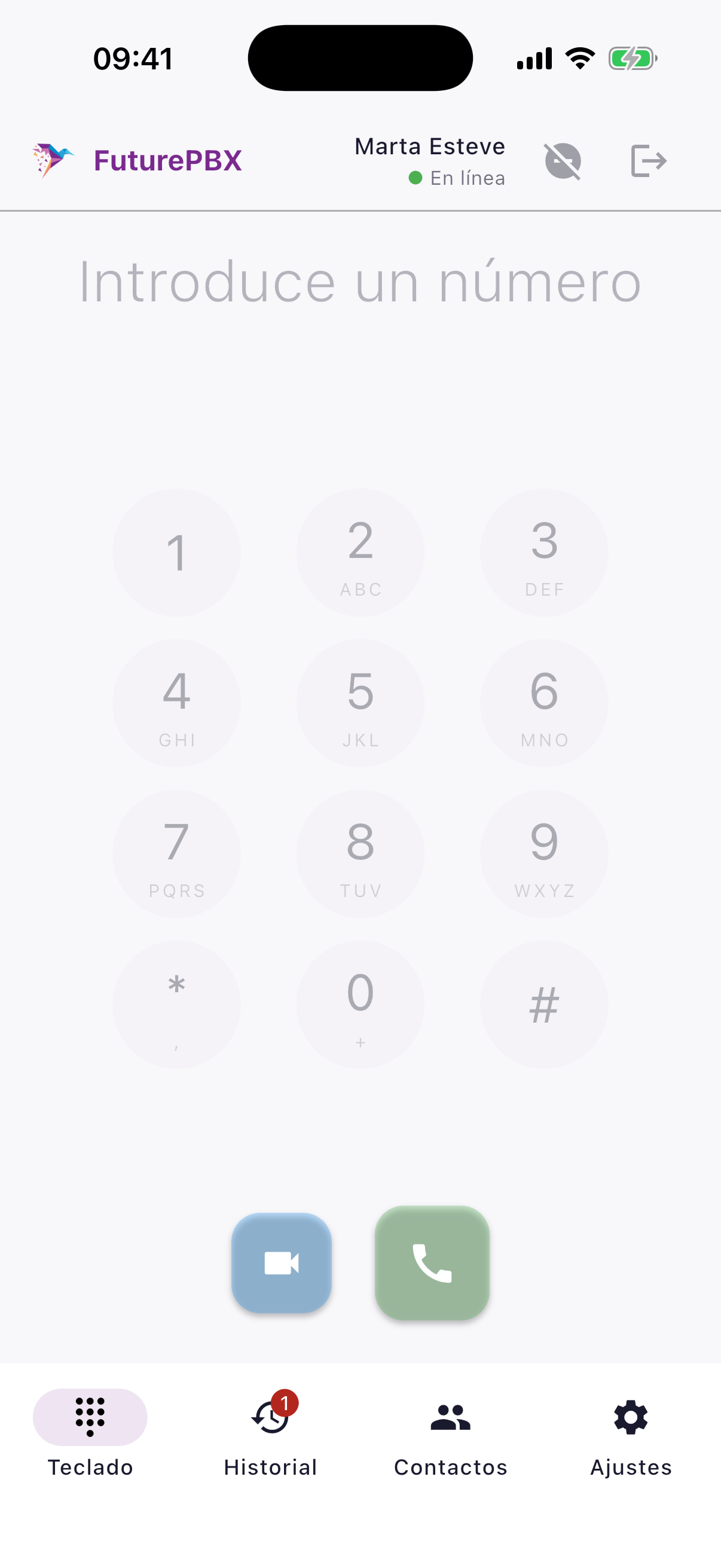
An A–Z index for thousands of contacts and one search box for phone contacts, extensions and every contact book.
03
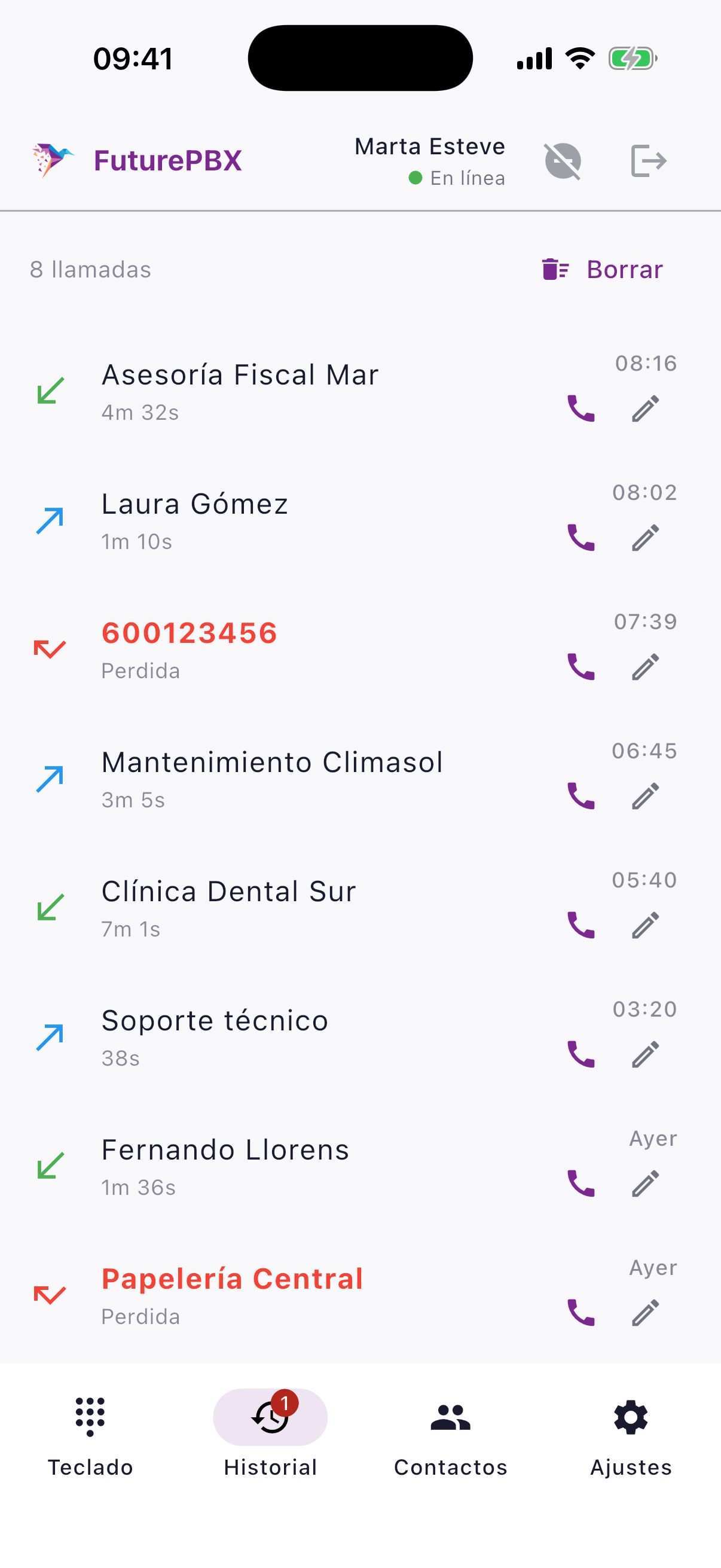
Every call counts
Your phone rings even with the app closed or the screen locked, with your own ringtone; on iPhone, with the system call screen.
Full call history with missed calls in red: tap to call back. If another of your devices answered, it is not shown as missed. Save any number from the history into a contact book or your phone contacts.
04
Total control of every call
- Hold, mute and speaker.
- Bluetooth headsets with output selection.
- Blind or consultative transfer.
- Three-way calling.
- Keypad for voice menus.
- Call waiting.
- Dialling with a pause to reach an extension.
- Video calls.
05
Keep talking when you change networks
Move from Wi-Fi to 4G/5G mid-conversation and the call carries on. The screen turns off at your ear. If a regular mobile call comes in while you are on FuturePBX Phone, it can be rejected automatically; if you take it, the softphone call goes on hold.
06
Voicemail always in sight
A light tells you when you have new messages and one tap takes you to them (*69).
07
Up and running in seconds
Sign in with your email: you get a link, confirm it, done. No servers or passwords to type. The app shows your operator's logo.
08
Comfortable design, day and night
Light, dark or automatic mode. Do not disturb, auto-answer and call waiting: one tap away in Settings. Also on iPad.
09
Secure and private
Credentials are kept in the phone’s secure storage. Calls travel encrypted (TLS and SRTP) when the PBX allows it. We do not store the content of your calls.
Download it free and turn every phone into an extension of your PBX.
The app is free to download and use. You need an internet connection and an extension on a FuturePBX PBX provided by your organisation. The phone service depends on its contract. Do not use the app for emergency calls.