FuturePBX WebRTC · Your browser phone
New · Version 2.2 (159)
Your extension.
Your whole team in view.
Make and receive calls in your browser. Keep your PBX contact books and your colleagues’ status beside the phone. Open what you need; tuck the rest away.
- No installationYour extension, in your browser.
- Independent panelsA contact book, extensions or the view you need.
- Your workspace, rememberedThe browser remembers how you left it.
01 · Your workspace
Everything to hand.
When you need it.
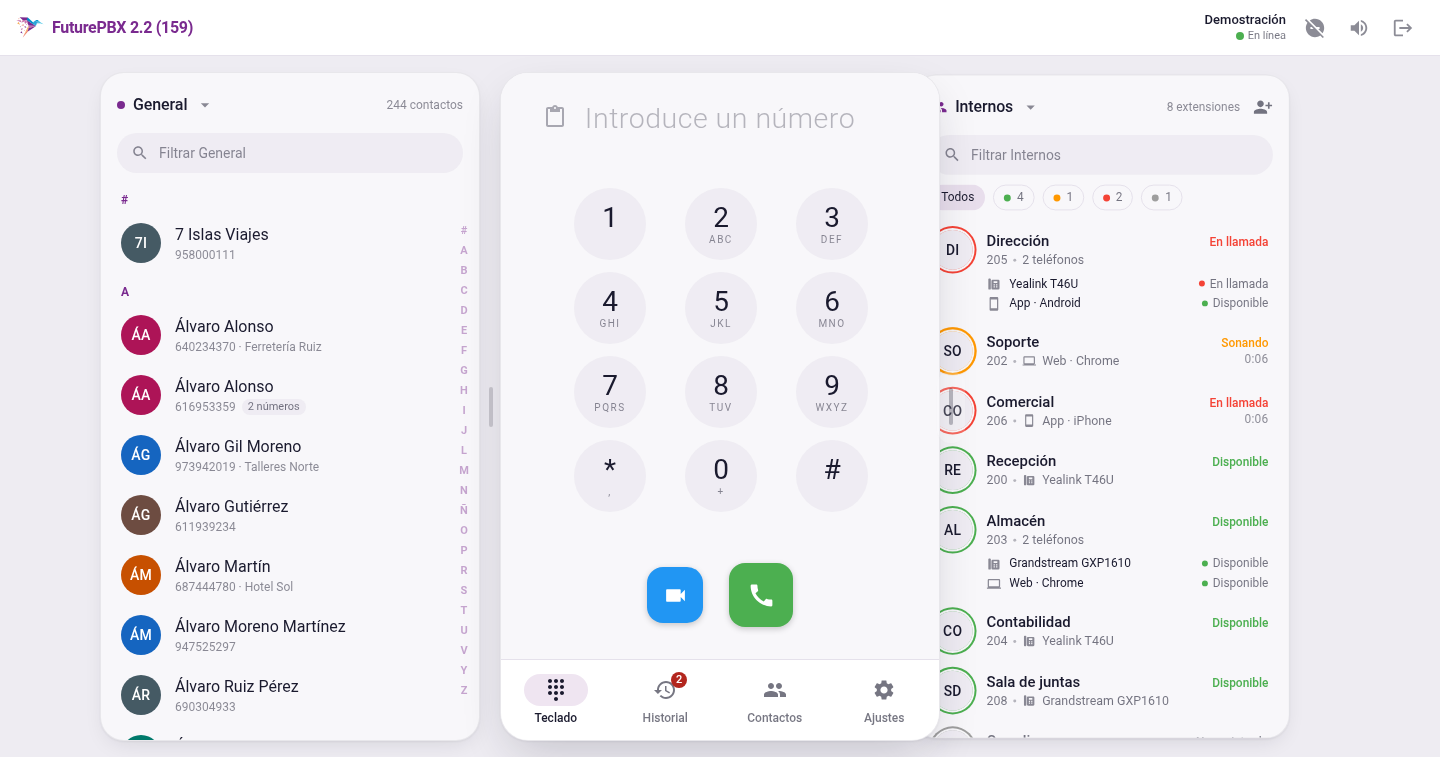
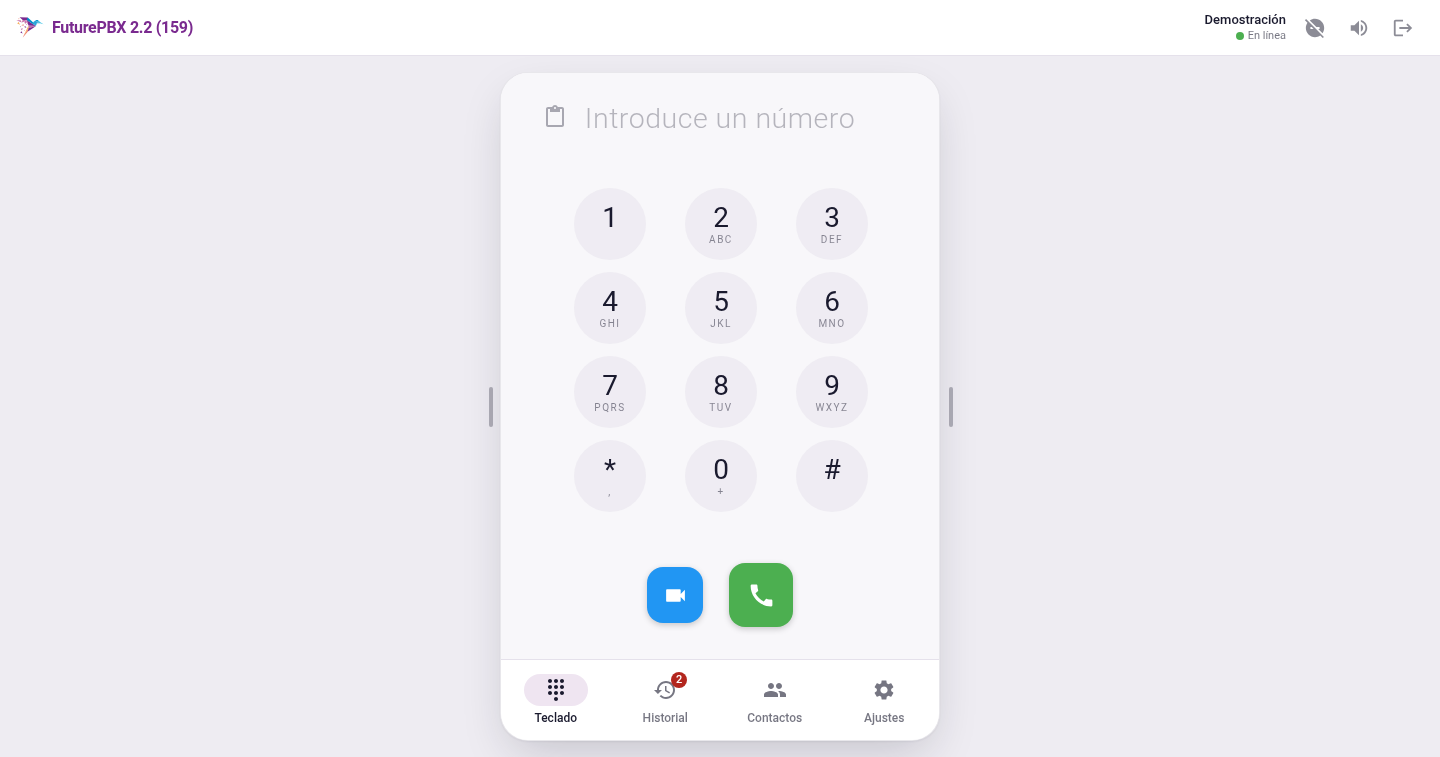
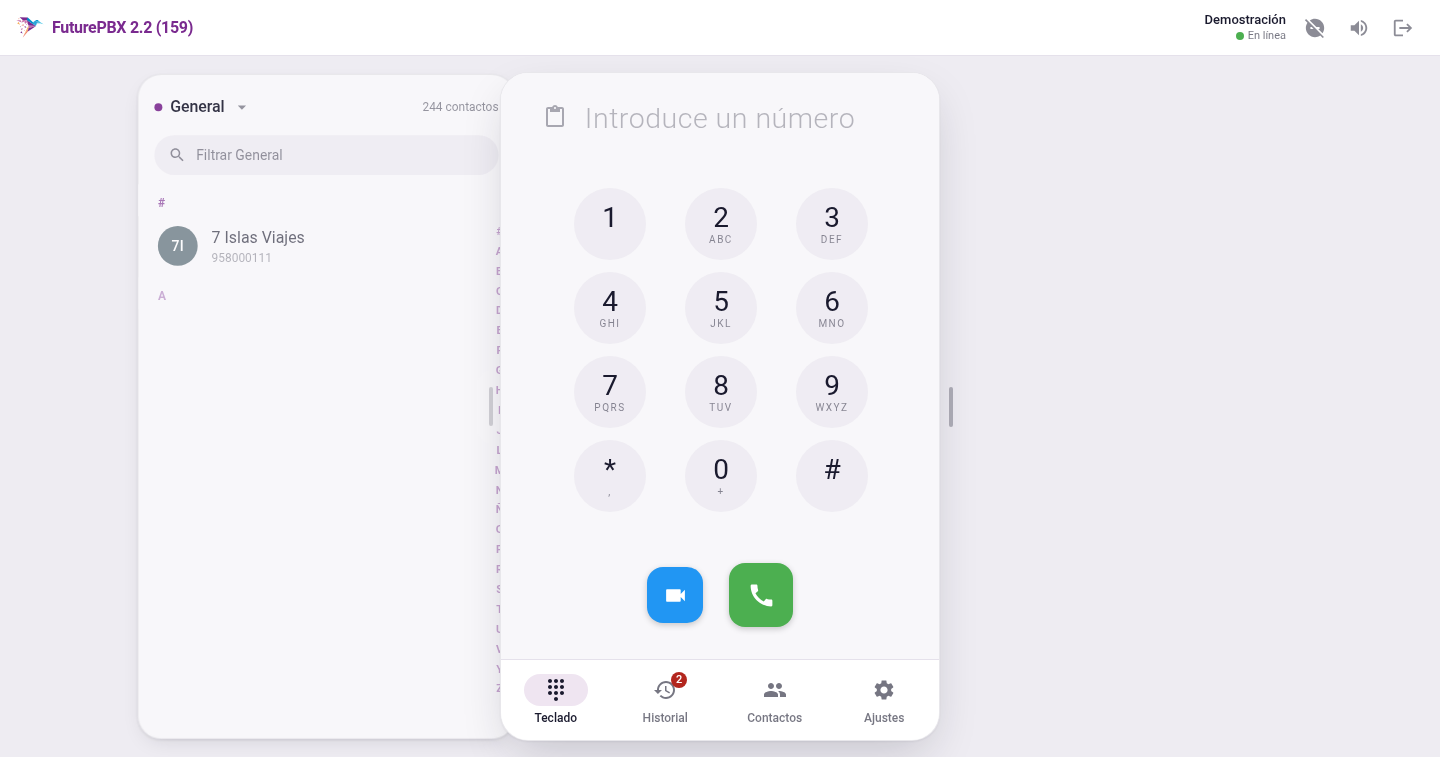
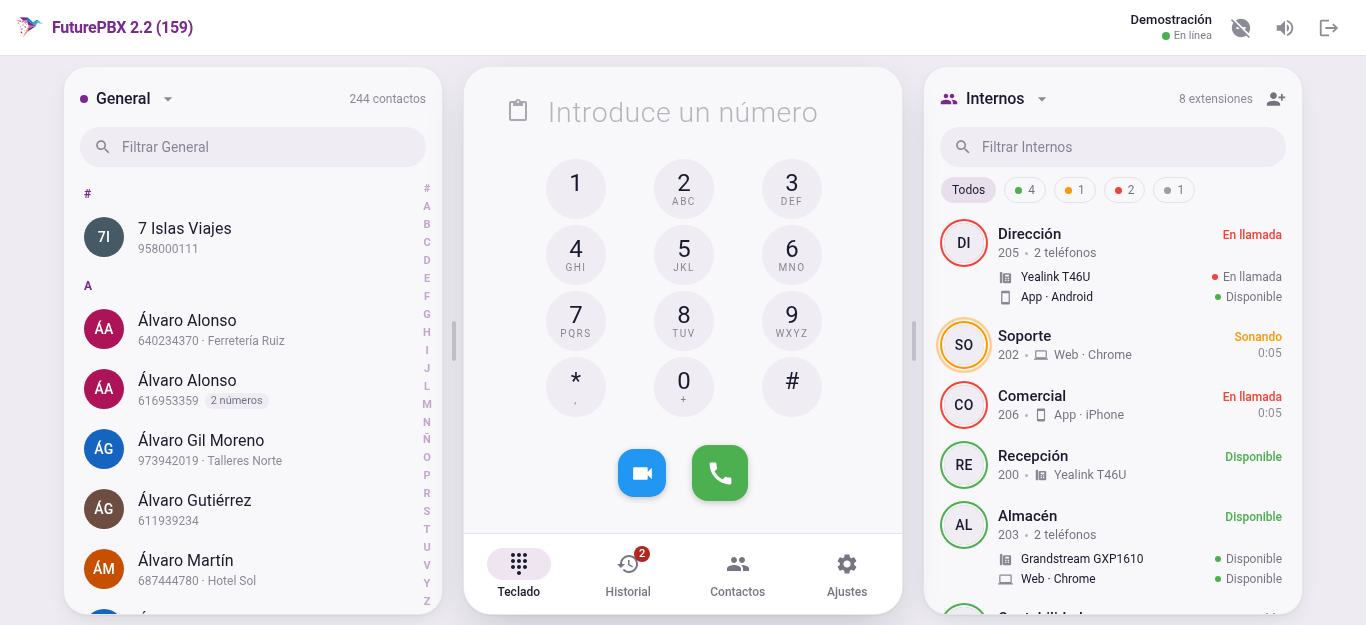
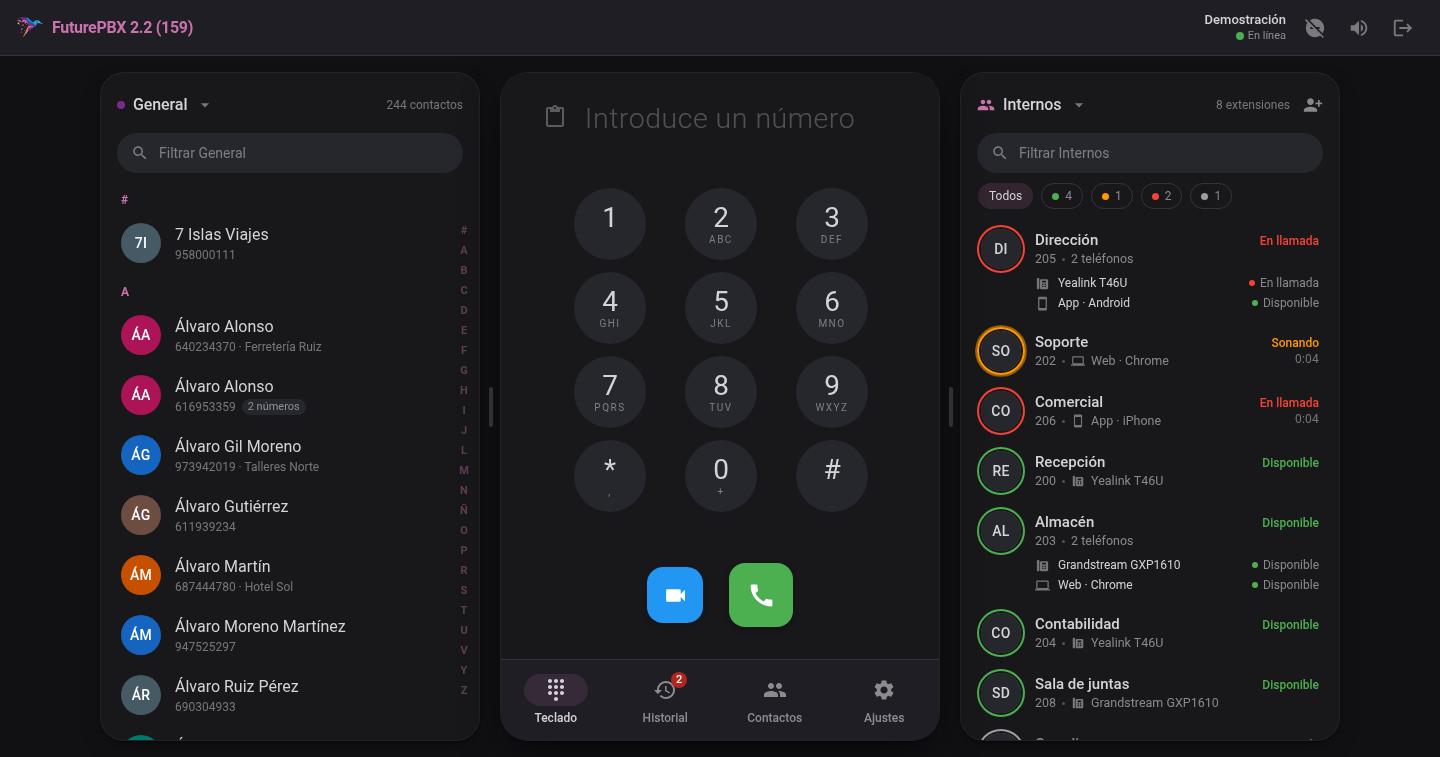
The phone stays in place. In a wide window, two panels slide out from behind it and tuck away again with a slim grip. By default, a PBX contact book sits on the left and internal extensions on the right.
- Choose a contact book or extensions in either panel.
- Filter each panel separately without changing the phone’s tabs.
- Come back to the same open or closed panels and the views you chose.
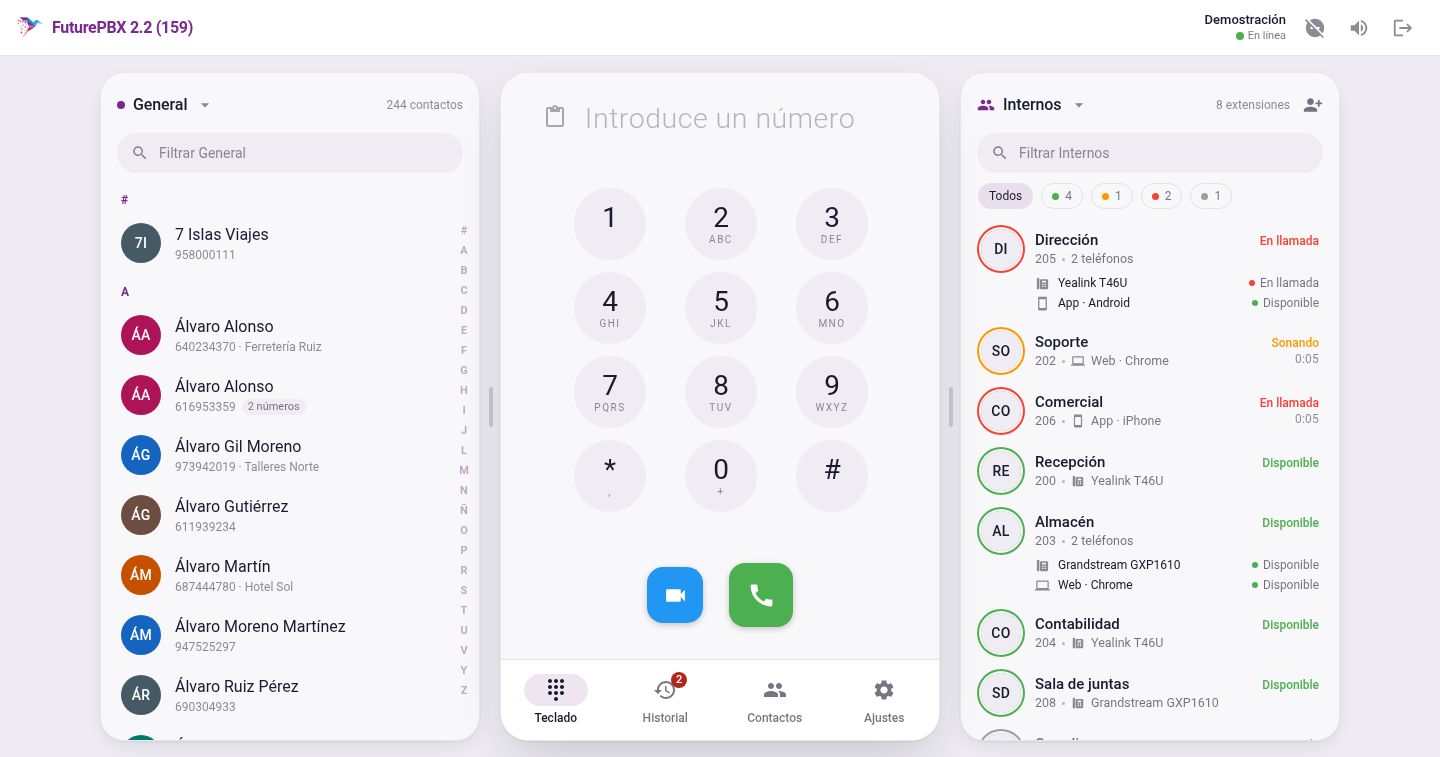
See the panels step by step
02 · Live extensions
See who can take the call.
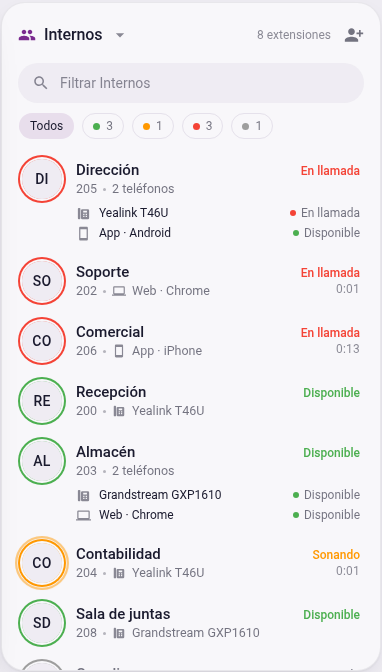
See which extension is available, ringing, on a call or unregistered, and how long it has been in that state. When several phones are registered, each shows its own status.
- Desk phones, the mobile app and the browser, each with its own state.
- State counters that double as filters.
- Click a contact to call. The pencil is reserved for editing.
- Available
- Ringing
- On a call
- Unregistered
03 · Fits your workspace
From your desk to your mobile.
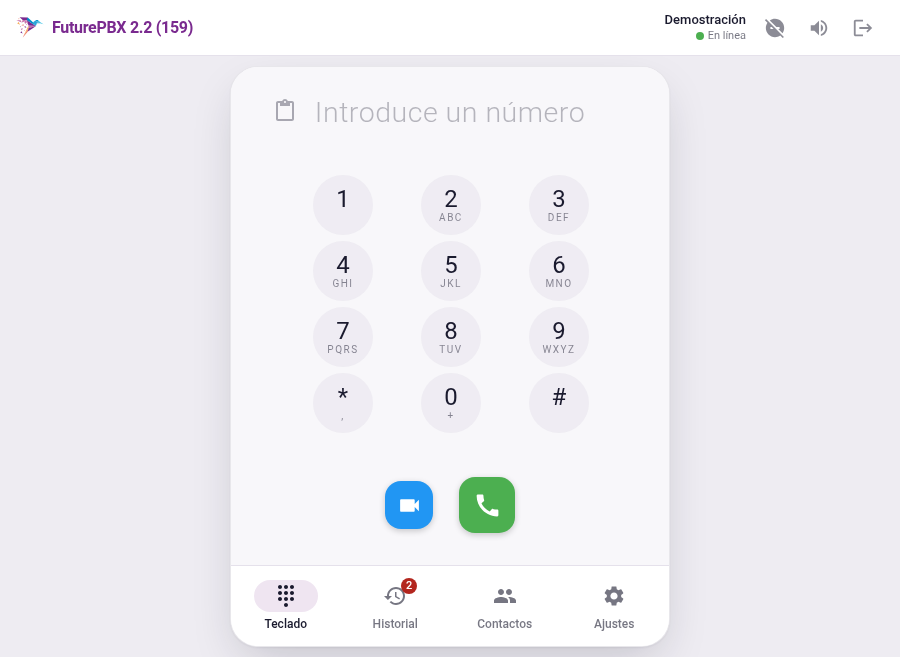
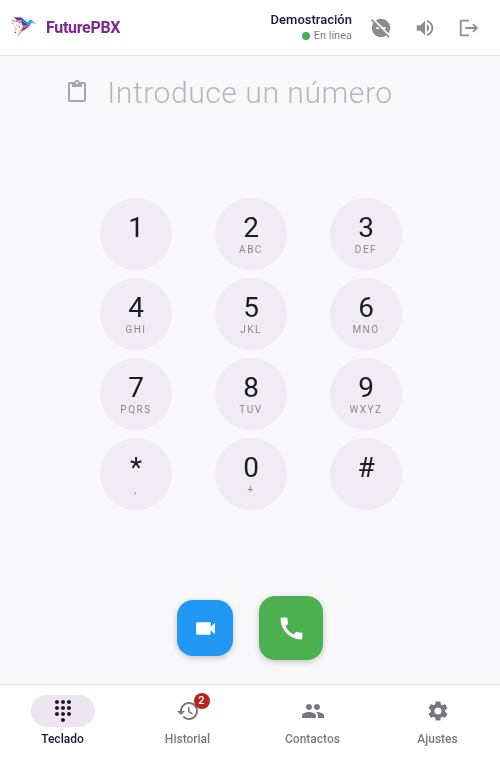
When there is room, open contact books and extensions on either side. In a narrower window, the phone keeps its compact body and tabs. On mobile, it fills the screen.
On a laptop
In a narrower window
On mobile
04 · Dark mode too
Light or dark. Your choice.
The same phone and panels are also available in a dark theme. The app adapts its transitions to your system’s reduced motion preference.
Before you start
What do I need to call?
An active FuturePBX extension, an internet connection, a microphone and permission for the browser to use it. Your organisation provides access to the telephone service.
When do the side panels appear?
At 1112 pixels wide and above, there is room for both side panels. From 600 pixels, the keypad and tabs form a single bordered body. Below that, the phone fills the mobile screen.
Does changing a contact book change the phone?
No. Each panel is independent of the phone and the other panel, with its own filter.
Looking for the Android or iPhone app?
FuturePBX Phone is the mobile app. Its own page has the official App Store and Google Play downloads.
The screenshots and video show the real app with a fictional account, contacts and extensions. The captured interface is in Spanish.
Your PBX. In your browser too.
Open your extension or ask for a demo to see how it fits the way your team works.